
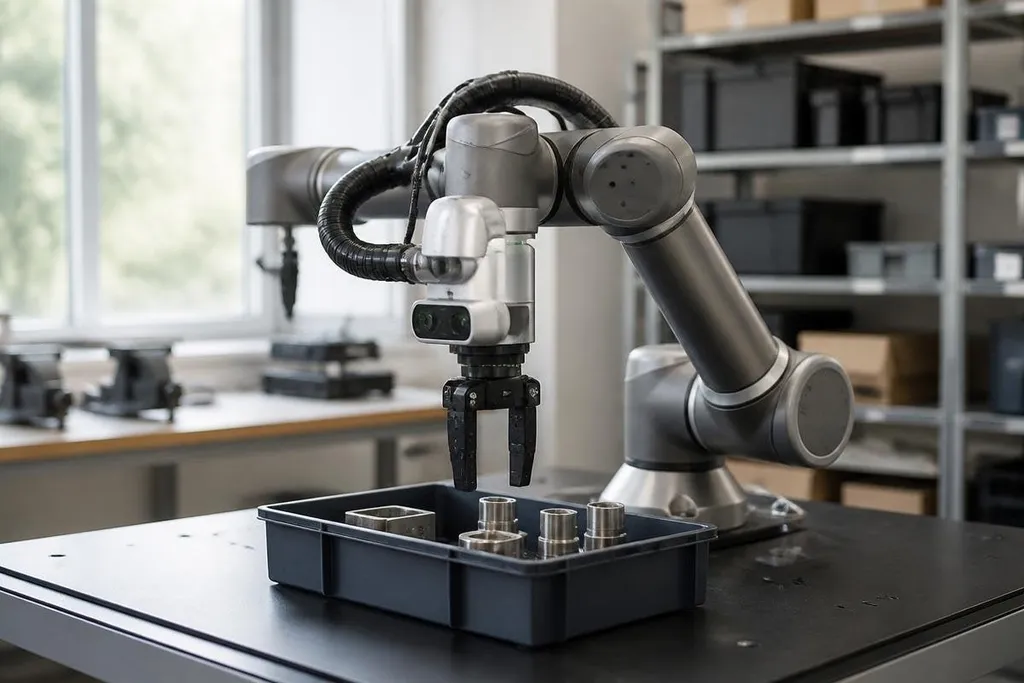
A robot cannot act on the world until it measures something about it. Cameras, LiDAR, encoders, and force sensors turn light, distance, motion, and pressure into data that software can use.
The useful question is not which sensor is best. It is what the robot must detect, how fast it must react, and what can go wrong when the reading is poor.
Quick read
- Cameras identify shapes, colors, text, and people, but need usable light.
- LiDAR measures distance with laser pulses, while ultrasonic sensors use sound.
- Sensor fusion combines several readings so one weak signal does not control the robot alone.
What a robot sensor measures
Each sensor measures a physical signal. A camera records patterns of light across an image. Software can then estimate an object’s position, read a label, or check whether a space is clear.
LiDAR sends laser pulses and measures how long they take to return. The robot builds a set of distance points called a point cloud. That data helps a mobile robot map walls, racks, and other objects while it moves.
Ultrasonic sensors send sound above the range people can hear. They work well for short-range distance checks, such as detecting a nearby wall or confirming that a bin is in place. Soft surfaces, angled objects, and noisy surroundings can reduce the quality of the reading.
An inertial measurement unit, or IMU, measures acceleration and rotation. It usually contains accelerometers and gyroscopes. A robot uses those readings to estimate how its body is moving, especially when wheel slip makes position estimates less reliable.
Sensors inside the robot
Some sensors watch the outside world. Others measure the robot itself. A motor encoder counts shaft movement, which helps the controller estimate joint angle or wheel rotation. That information matters when an arm must stop at a set position or a mobile robot must estimate how far it has travelled.
Force and torque sensors measure a push, pull, or twist. A robot arm can use them to detect contact with a part, limit pressure on a surface, or notice that a grasp is failing. The sensor does not decide what to do; control software turns the reading into an action.
Temperature sensors can protect motors, batteries, and electronics. Current sensors can show whether a motor is working harder than expected. These readings help the robot find a jam before a drive system overheats.
Why one sensor is rarely enough
Every sensor has a weak spot. A camera can lose useful detail in glare or darkness. LiDAR can miss a thin object, and ultrasonic readings can spread across nearby surfaces. Encoders measure joint movement well, but they do not tell an arm what is blocking its path.
Sensor fusion combines readings from different sources. A mobile robot may use wheel encoders for short movements, an IMU for body rotation, and LiDAR for nearby walls. Software compares the signals and builds one estimate of position.
A calibration error can shift every distance or angle in the robot’s map. A loose camera mount can make fixed walls seem to move, giving the software a bad position estimate. Robot24.com covers the machines and systems that turn those readings into movement. The next step is turning the estimate into action.
From raw readings to action
A sensor sends data to a controller or computer. The software filters noise, checks the timing, and turns the result into a form that other parts of the robot can use.
For example, a camera may report a box in an image. The robot still needs the box’s position in its own coordinate frame before an arm can reach it. That step depends on camera placement, calibration, and the robot’s estimate of its own joint angles.
Timing matters too. A moving robot can travel a noticeable distance between a sensor reading and the motor command that follows it. A system with slow updates may react to where an object was, rather than where it is now.
A practical sensor checklist helps match hardware to the job:
- Define the target: write down the object, distance, speed, or force the robot must measure.
- Check the setting: include darkness, glare, dust, water, vibration, and nearby surfaces.
- Set the update rate: make sure readings arrive fast enough for the robot’s speed.
- Plan calibration: record how often mounts, lenses, joints, and distance sensors need checks.
- Add a fallback: decide what the robot does when a reading is missing or outside its normal range.
- Test the failure case: place the robot near the object or condition that could confuse it.
I'd choose the sensor set by the robot's failure cases, then add only the hardware that helps detect them. More sensors mean more wiring, software, calibration work, and points that need service.
The next practical step is to list every decision the robot must make and name the measurement behind it. If the system cannot say what it sensed, how old that reading is, and how sure it is, the problem starts before the robot moves.